Journal
Captain Fantastic
Clair and I loved this story of Viggo Mortensen’s Ben Cash and family temporarily leaving their off-grid existence in the Pacific Northwest to enter civilisation. It poses some interesting questions about parenting, lifestyle and morality but mainly, it’s just a lot of fun.
Judging by his movie review for The Guardian, Mark Kermode seemed to like Captain Fantastic too.
Fuzzy Logic show (Feb ‘23), Clyde Built Radio
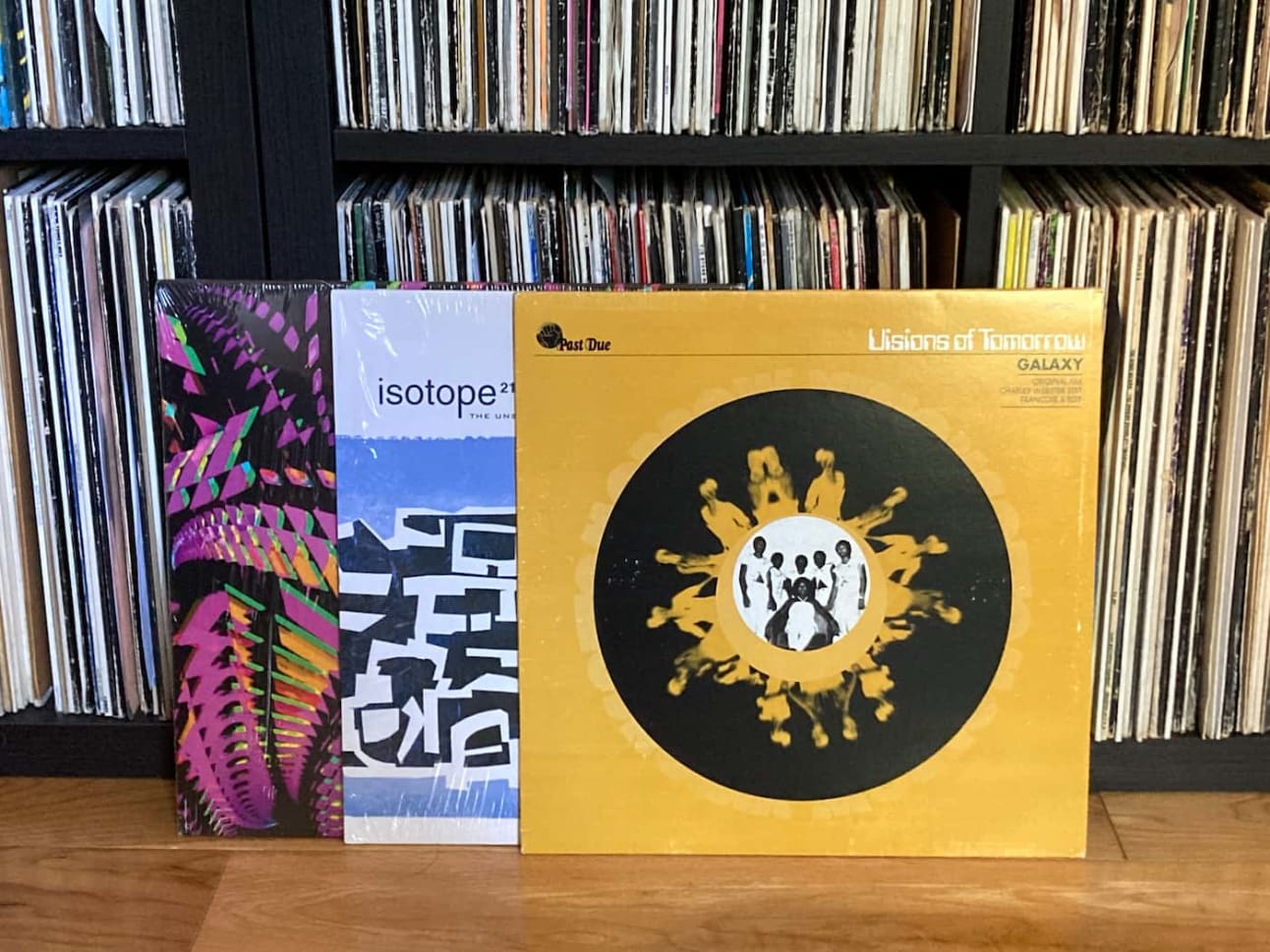
Having pre-recorded previous shows, I recently made a first visit to Clyde Built Radio’s station at the Barras market for a live show and really enjoyed it. It’s such a great location and it was a nice change to spin records on a Sunday morning.
I started off gently with atmospheric music from Detroit’s Ian Finklestein followed by a modern take on Steve Reich from Bitchin Bajas. From there it was into some hazy electronics and a dash of 80s boogie before landing on sounds from house music legends Abacus and Larry Heard.
Here’s the tracklist:
- Ian Finklestein – Ago-ra
- Bitchin Bajas – Amorpha
- Isotope 217 – Audio Boxing
- Coral D & PST – Send it
- Komiko – Feel Alright
- Visions of Tomorrow – Galaxy
- Wheelup – Infinity feat. Abacus
- Cy Gorman – Dewy Drip
- Peech Boys – Don’t make me wait (Dub)
- Purelink – Dozen Sunbeams (Nice Girl version)
- Abacus – The Lower End Theory
- Ossie – I hurt you
- Fingers Inc – Bye Bye
Thanks to Amy for the invite, and Brandon, the engineer on the day.
Displaying tables on narrow screens
Responsive design for tables is tricky. Sure, you can just make the table’s container horizontally scrollable but that’s more a developer convenience than a great user experience. And if you instead try to do something more clever, you can run into challenges as I did in the past. Still, we should strive to design good narrow screen user experiences for tables, alongside feasible technical solutions to achieve them.
In terms of UI design, I was interested to read Erik Kennedy’s recent newsletter on The best way to display tables on mobile. Erik lists three different approaches, which are (in reverse order of his preference):
- Hide the least important columns
- Cards with rows of Label-Value pairs
- More radical “remix” as a “Mobile List”
Another article worth checking is Andrew Coyle’s The Responsive Table. He describes the following approaches:
- Horizontal overflow table (inc. fixed first column)
- Transitional table
- Priority responsive table
For the transitional table, Andrew links to Charlie Cathcart’s Responsive & Accessible Data Table codepen. It looks similar (perhaps better looking but not quite as accessible) to Adrian Roselli’s Responsive Accessible Table.
Native CSS Nesting
I’ve started reading some entries from Manuel Matuzovic’s 100 days of (more or less) modern CSS series, and began with the excellent Day 99: Native Nesting. It clearly explains how to use the now-agreed syntax for various common scenarios.
The syntax is pretty close to what we’re used to doing with Sass, which is great!
Also, I’m now also clear that nested selectors must always start with a symbol rather than a letter. Often they would naturally do so anyway, for example when nesting a class since that already starts with a symbol (a full stop). But in cases where they wouldn’t – essentially only when nesting an “element selector” – we start it with an “&”. So:
main { & article { ... } }
Straightforward enough!
Regarding browser support for CSS nesting, at the time of writing it is available in Chrome and Safari Technology Preview only.
I would therefore only use it for demos and for the most non-essential enhancements. We’ll need to hold off any full-scale switch from Sass nesting to CSS nesting for large and important production websites until this is in Firefox and standard Safari, and until a sufficient percentage of users has the up-to-date versions. So a little while away yet, but given the current rate of browser updates, likely sooner than we might think!
No Style Design System
Adam Silver’s collection of accessible form-related components – a companion to his book Form Design Patterns – is a brilliant reference.
In there you’ll find Autocomplete, date fields, validation and lots of other tricky components and patterns.
The Component Gallery
The component gallery is an up-to-date list of interface component examples. It’s really helpful for looking up existing naming conventions. It also contains a list of Design Systems.
Use the dialog element (reasonably), by Scott O’Hara
Here’s an important update on native modal dialogues. TL;DR – it’s now OK to use dialog.
Last year I posted that Safari now supported the HTML dialog element meaning that we were within touching distance of being able to adopt it with confidence. My caveat was:
However first I think we’d need to make an informed decision regarding our satisfaction with support, based on the updated advice in Scott O’Hara’s article Having an Open Dialog.
(Accessibility expert Scott O’Hara has been diligently testing the dialog element for years.)
However the happy day has arrived. The other day Scott posted Use the dialog element (reasonably). It includes this advice:
I personally think it’s time to move away from using custom dialogs, and to use the
dialogelement instead.
That’s an important green-light!
And this of course means that we can stop DIYing modal dialogues from divs plus super-complicated scripting and custom ARIA, and instead let a native HTML element do most of the heavy lifting for us.
From a Design System perspective, I’d previously suggested to my team that when we revisit our Modal component we should err toward a good custom dialogue library first, however I’m now likely to recommend we go for native dialog instead. Which is great!
Web Components Guide
This new resource on Web Components from Keith Cirkel and Kristján Oddsson of GitHub (and friends) is looking great so far.
As I recently tweeted, I love that it’s demoing “vanilla” Web Components first rather than using a library for the demos.
So far I’ve found that the various web component development frameworks (Lit etc) are cool, but generally I’d like to see more demos that create components without using abstractions. The frameworks include dependencies, opinions and proprietary syntax that (for me at least) make an already tricky learning curve more steep so they’re not (yet) my preferred approach. Right now I want to properly understand what’s going on at the web standards level.
Aside from tutorials this guide also includes a great Learn section which digs into JavaScript topics such as Classes and Events and why these are important for Web Components.
I hope that in future the guide will cover testing Web Components too.
Lastly, I like the Embed Mastodon Toot web component tutorial, and to help it sink in (and save the code for posterity) I’ve chucked the code into a pen.
Mystery Road – Origin
This is the best TV I’ve watched in a while, and Clair and I eagerly binged it in two days. I loved how it looked, the atmospheric music, the characters, the acting and the issues. I’ll now need to watch the other two Mystery Road series.
A Designer’s Guide to Documenting Accessibility & User Interactions (by Stephanie Walter)
My teammate Colin just shared this brilliant designers’ guide to documenting accessibility and user interactions. It’s really thorough and includes some pretty clever annotation techniques.
I agree with Stephanie that unless you ask the questions and document the answers regarding how a design will translate to an accessible reality then it can fall short at lots of points from the start to the implementation. This called to mind a similar perspective from Sophie Beaumont on how the BBC shift left regarding accessibility.
This type of annotation and discussion also feels like another healthy way for designers and engineers to talk to (and learn from) each other more.
I really like Stephanie’s conclusion that you won’t always have time for all of the techniques she mentions, so pick your battles.